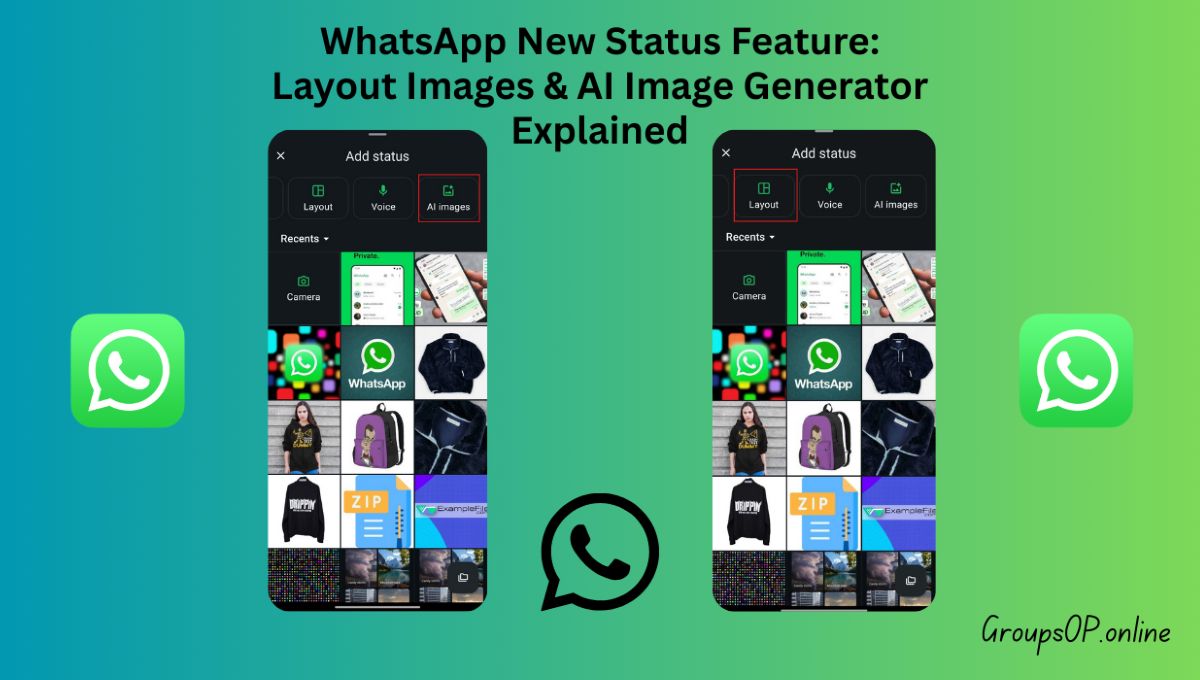
WhatsApp Status barely changed for years, so when something new finally shows up there, people notice immediately. Over the last few days, many users have started seeing real functional changes in Status — not just visual tweaks. WhatsApp has introduced built-in layout options for multiple images and a new way to generate AI images directly inside Status.
If your Status screen looks different from someone else’s, that’s expected. Most people I’ve helped struggle with this because WhatsApp rolls out features in stages and never clearly explains what’s new. Some users get updates early, others wait days or weeks.
This guide explains exactly what WhatsApp has added to Status, how these new features work step by step, who gets them first, and what you should realistically expect — no exaggeration, no guesses.
What’s Actually New in WhatsApp Status
WhatsApp has added two major Status features for 2026:
1️⃣ Status Layouts for Multiple Images (2–6 Photos)
2️⃣ AI Image Generation for Status (Meta AI, 4 Variations)
These are official WhatsApp features, not experiments or hidden tools.
1. WhatsApp Status Layouts: Post Multiple Images in One Status
This is one of the most useful Status updates WhatsApp has released.
What changed?
Earlier, if you wanted to share multiple photos on Status, you had to:
- Post them one by one, or
- Use third-party collage apps lor websites like Photo Grid Online.
Now WhatsApp handles this natively.
How the layout feature works
When you:
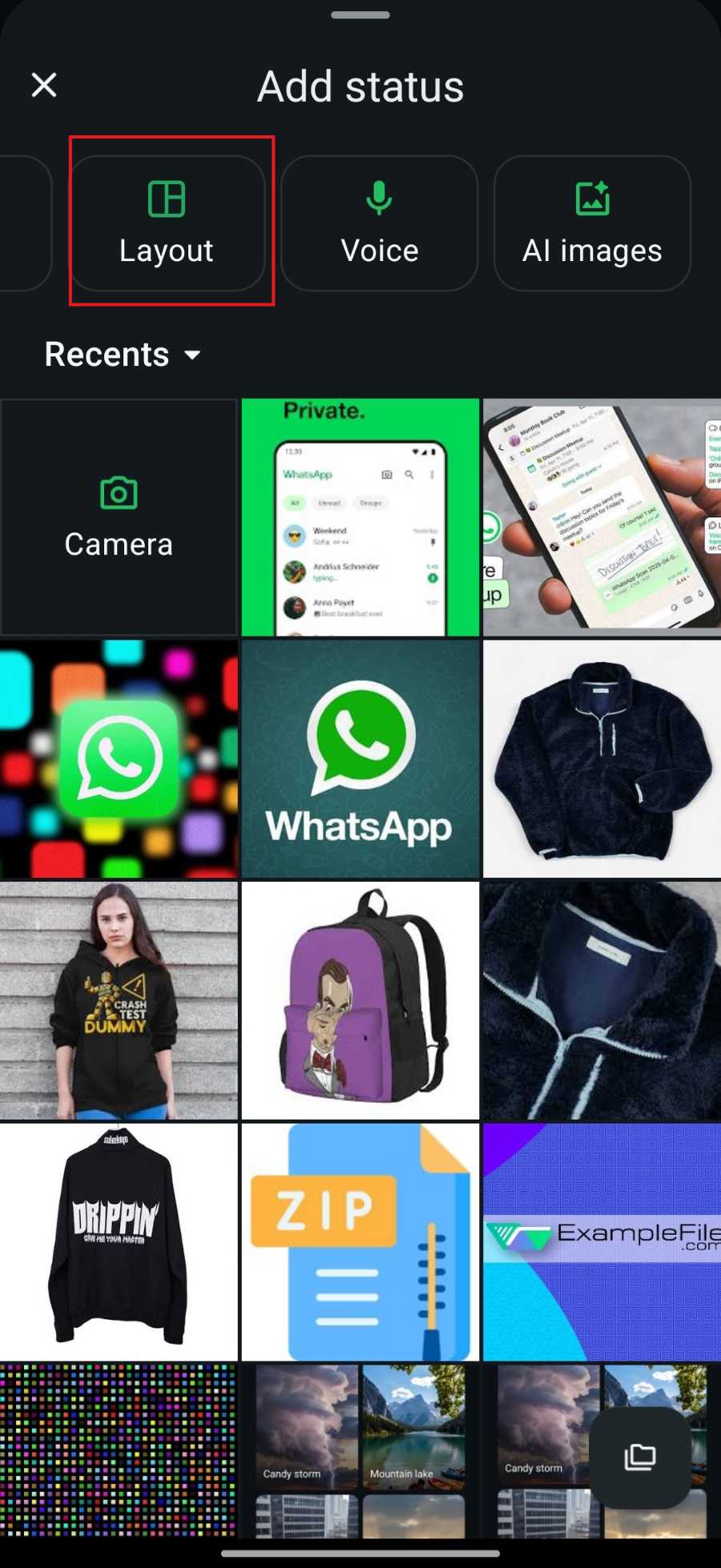
- Tap Add Status
- Select Images,
- Select Layout
WhatsApp automatically shows to select Images. And after select images and click on done button (Right tick) and then layout options shows, such as:
- 2-image layout
- 3-image layout
- 4-image grid
- 5-image layout
- 6-image layout
You can switch between layouts before posting, and WhatsApp rearranges the images automatically.
This works especially well for:
- Event photos
- Travel updates
- Product showcases
- Daily photo dumps
- Group moments
No editing apps. No extra steps.
Why this matters
Status was always meant to be quick and casual, but sharing multiple photos felt clumsy before. This update makes Status feel more expressive without turning it into a complicated editor.
Common confusion
Some users think WhatsApp “randomly arranged” their photos.
In reality, WhatsApp is applying a selected layout — you can change it before posting.
Tip:
If layouts don’t appear immediately, close and reopen WhatsApp once. Feature flags sometimes load late.
2. AI Image Generator for WhatsApp Status (Meta AI)
This is the second big update — and the one people are talking about the most.
WhatsApp now lets users generate AI images directly inside Status, powered by Meta AI.
What this feature does
Inside the Status creation flow, some users now see options like:
- Create with AI
- AI Image
- Imagine (label may vary)
You type a text prompt, and WhatsApp generates four AI image variations for you.
No external apps. No downloads. Everything stays inside WhatsApp.
How to Use AI Images in WhatsApp Status (Correct Flow)
⚠️ This feature is rolling out gradually. Not everyone will see it yet.
Step-by-step process:
- Open WhatsApp
- Go to Status
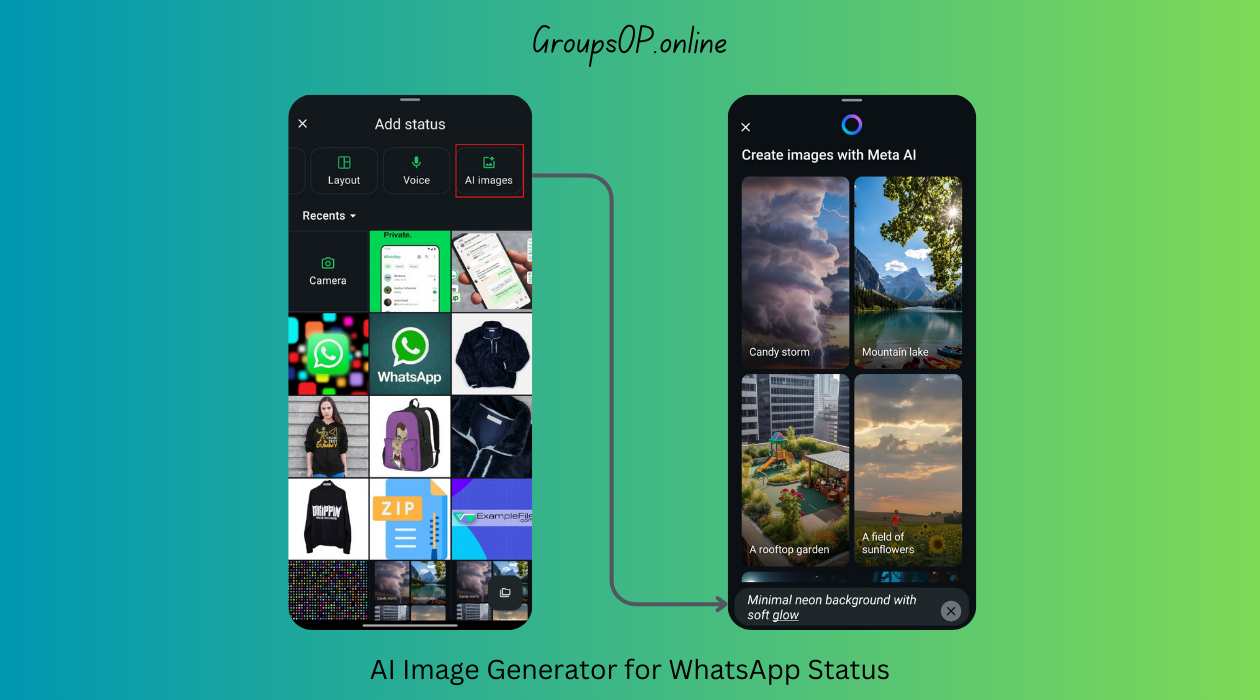
- Tap Add Status
- Select AI Images
- Enter a short text prompt (example: “Minimal neon background with soft glow”)
- WhatsApp generates 4 AI images
- Select one image
- Tap the arrow / tick button (bottom right)
- Optionally add Status text
- Post the Status
Why this matters
This feature is perfect for:
- Users who don’t take many photos
- Sharing ideas, moods, or concepts
- Quick creative updates without design skills
It lowers the effort needed to post a Status.
Common mistake
Typing very long or complex prompts.
Short, clear prompts produce better AI images.
Who Is Getting These Status Features First?
These features are not globally available yet.
WhatsApp usually rolls out features like this:
- Some Android users
- Some iPhone users
- Beta users
- Gradual global rollout
You’re more likely to see them if:
- WhatsApp is fully updated
- You’re in a supported country
- Meta AI is available in your region
- Your account is included in the rollout batch
Important clarification
If you don’t see:
- Layout options
- AI image creation
it does not mean:
- Your app is broken
- Your phone is unsupported
It simply means the feature isn’t enabled for your account yet.
Personal Experience Notes
“I tested this on two Android phones and one iPhone. The layout feature appeared on all three, but the AI image option showed up on only one device.”
“This confuses users because the AI option appears inside Status creation, not in main settings — most people never look there.”
Real-World Examples
Example 1: Sharing Without Photos
One user told me they rarely post Status because they don’t take pictures. After the AI image feature appeared, they started posting simple visual updates — abstract designs, quote backgrounds, and themed images — without opening any other app.
Example 2: Posting Event Photos Cleanly
Another user attended a small event and selected five photos at once. WhatsApp suggested a 5-image layout automatically, saving time and avoiding messy multiple Status posts.
What This Update Does NOT Do (Important Clarity)
To avoid misinformation:
- ❌ It does NOT replace camera Status
- ❌ It does NOT auto-post AI content
- ❌ It does NOT generate images without your input
- ❌ It does NOT access private chats
- ❌ It does NOT change Status privacy rules
All existing Status privacy settings still apply.
Why WhatsApp Added These Features
This update fits a clear direction:
- Make Status more expressive
- Reduce reliance on third-party apps
- Integrate Meta AI gradually
- Compete with Stories features elsewhere — without overloading the app
WhatsApp is still keeping Status private and contact-based, not public or algorithm-driven.
Common Questions
“I don’t see AI images in Status.”
→ Rollout isn’t complete yet.
“My friend has layouts, I don’t.”
→ Features are enabled per account, not per phone.
“Can I turn off AI features?”
→ Yes — simply don’t use them.
“Is this safe?”
→ Yes. These are official WhatsApp features.
Safety & Legitimacy Disclaimer
This guide covers only official WhatsApp features. No modified apps, unofficial tools, or unsupported methods are mentioned.
Related Tutorials
- How WhatsApp Status Privacy Works
- How to Use WhatsApp on Two Phones
- How to Fix WhatsApp Storage Issues
- WhatsApp Latest Features Explained
Final Summary
WhatsApp’s latest Status update introduces two meaningful features: built-in image layouts for multiple photos and AI-generated images with four selectable variations. Together, they make Status more flexible and creative without adding complexity. Because the rollout is gradual, not everyone will see these options immediately — and that’s normal. Honestly, once these features appear on your account, Status feels far more useful without losing WhatsApp’s simple, private nature.